Advance settings
Execution settings Overview
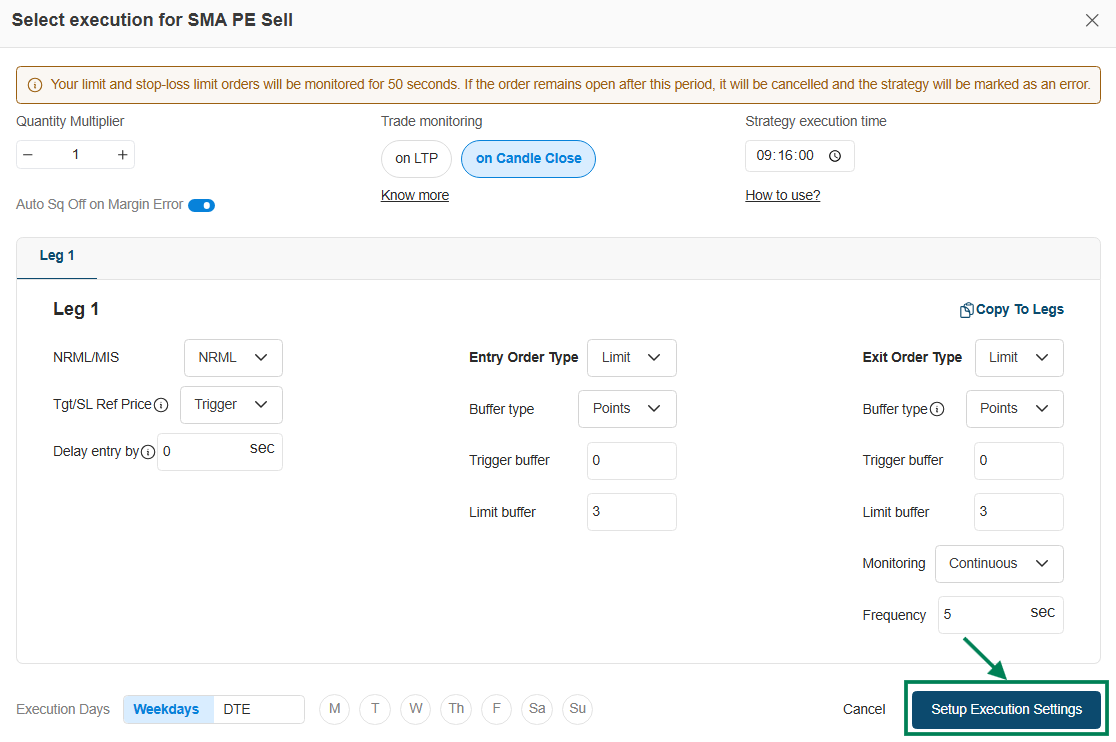
Execution settings define how your strategy executes trades, including quantity, trade monitoring (LTP/Candle Close), and execution timing. You can configure Entry and Exit Order Types (Limit/Market), set buffers and delays for precise execution, and control monitoring frequency. It also includes risk controls like Auto Square-Off and allows you to choose execution days (Weekdays/DTE) for better strategy control.
You need to set these settings for each strategy before deploying it for Live Algo trading. It is a one-time process and you don't need to do it daily.
How to do Execution Settings in Indicator Saved Signals?
→ Navigation Flow: Signal → Signal Dashboard → Indicator → Saved Signals → Setup execution.
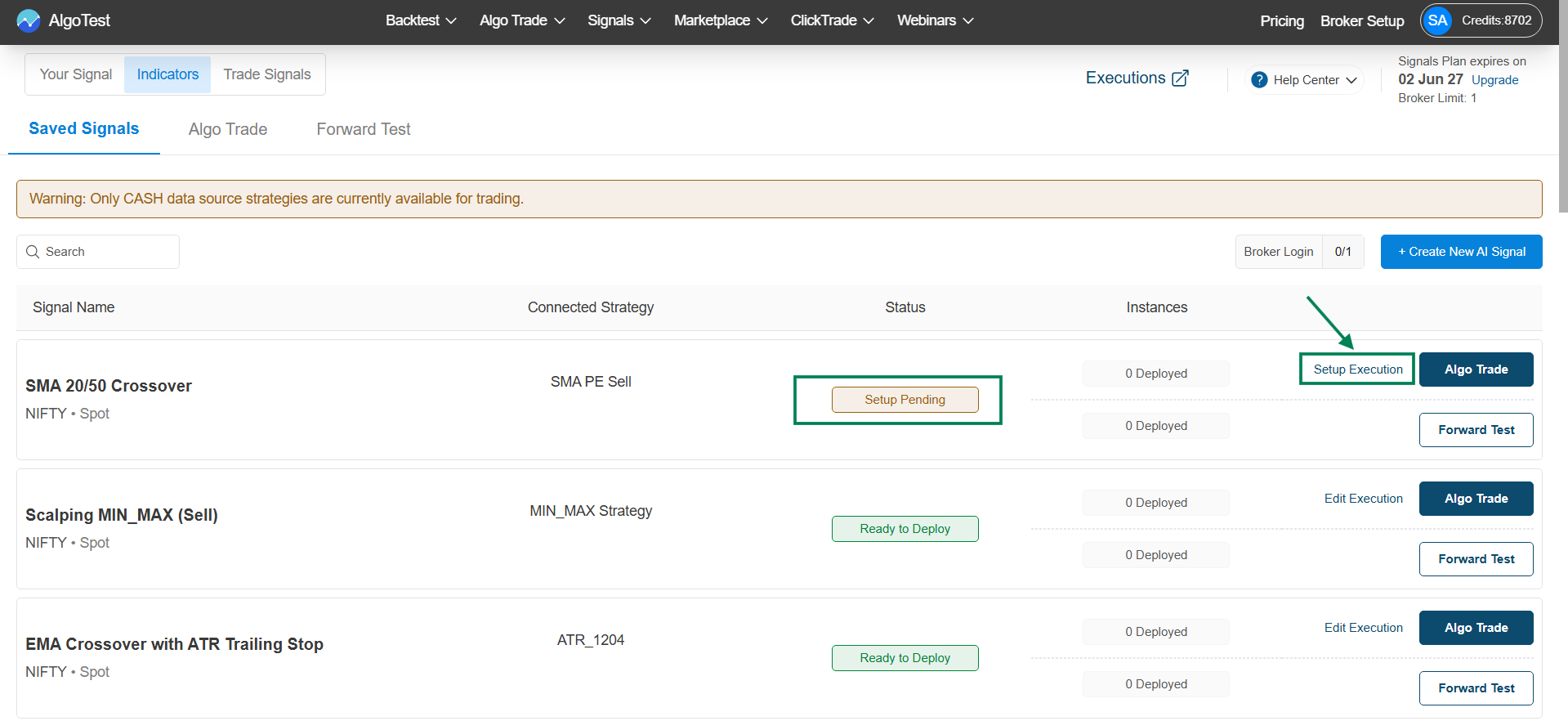
→ Execution settings: Configure and then click on Setup Execution Settings.
→ For more detailed information
Please check out this video: Execution settings
\